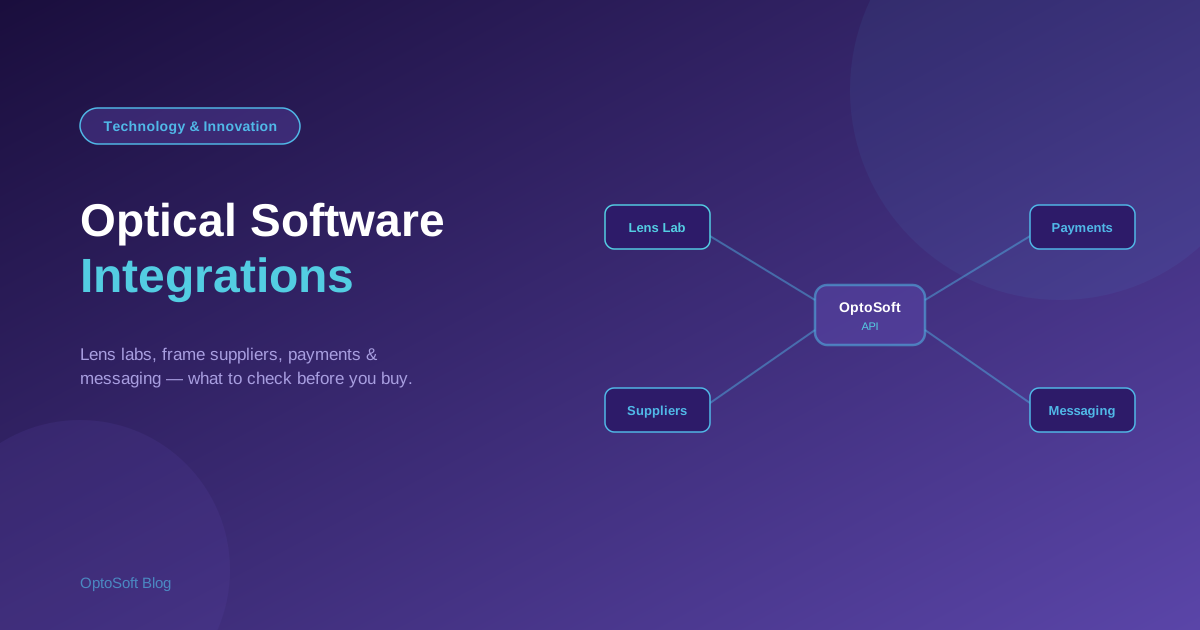
Optical software rarely works alone. It needs to talk to your lens lab, your frame suppliers, your payment terminal and your messaging — and the quality of those connections decides how much your staff re-key by hand. This is a vendor-neutral guide to the optical software integrations that matter, and the questions to ask before you buy.
Why integrations matter
Every system your software does not connect to is a place where someone re-types data — and re-typing means wasted time and mistakes. Good integrations let information flow automatically between the sale, the lab, the supplier and the bank, so your team spends less time copying numbers and more time with customers. When comparing software, integrations are as important as features.
Lens lab integration
A connection to your lens lab lets you send job orders electronically, track their status, and pull back updates without phone calls or duplicate data entry. For a busy dispensary this is one of the highest-value integrations, because it removes friction from every single glasses order.
Frame supplier ordering & catalogues
Integrations with frame suppliers can pull in catalogue data and let you place and track purchase orders from within your system. Even where a direct link is not available, look for the ability to import supplier catalogues and manage orders cleanly, so your inventory stays accurate.
Payment integration
Connecting your software to payment — card terminals, UPI, or payment links — means the amount rings straight through, reducing keying errors and speeding up the counter. Check which payment methods and providers a system supports for your region before you assume it fits.
Messaging (invoices, reminders)
Sharing invoices and sending recall reminders by WhatsApp, SMS or email is a form of integration too. It keeps patients informed and drives repeat visits, and it works best when it is built on the same customer data as the rest of the system rather than a separate tool.
Accounting & tax
Your sales data eventually has to reach your accounts and tax filings — GST in India, sales tax in the US. Whether through a direct accounting integration or clean exports, make sure the numbers can move without manual re-entry at month-end.
Data import/export & APIs
The most important "integration" of all is your ability to get your own data in and out. Clean import (when you switch systems) and export (whenever you want) protect you from lock-in — see how to switch optical software without losing data. An API, where available, lets a system connect to tools that are not supported out of the box.
Questions to ask about integrations before you buy
- Does it connect to my lens lab, and how are job orders sent and tracked?
- Can it import supplier catalogues and manage purchase orders?
- Which payment methods and providers does it support in my region?
- Can it send invoices and reminders by WhatsApp, SMS or email?
- How does my data reach my accounts and tax reports?
- Can I export all my data, and is there an API?
How OptoSoft connects to your workflow
OptoSoft is built so the parts of your shop that belong together already share data — POS, inventory, prescriptions and customer records live in one system, and it supports messaging such as invoice sharing and reminders, with data import/export so you are never locked in. For anything specific to your setup, ask exactly how a given connection works before you commit. See what is covered on the features page.
Frequently asked questions
Can optical software integrate with frame suppliers?
Often, yes. Some optical software connects to frame suppliers to pull catalogues and place or track orders; where a direct link is not available, look for the ability to import supplier catalogues and manage purchase orders. Ask each vendor which suppliers they support.
Can optical software connect to lens labs?
Many systems support lens lab connections that let you send job orders electronically and track their status, removing phone calls and duplicate entry. Confirm that a system works with your specific lab before you commit.
Does optical software integrate with payment systems?
Commonly, yes — via card terminals, UPI or payment links — so amounts ring straight through and keying errors drop. Supported methods and providers vary by region, so check that a system fits the payments you actually take.
What is an optical software API?
An API is a way for other tools to connect to your optical software programmatically. Where one is available, it lets you link systems that are not supported out of the box and helps you move your own data in and out.
Checking what connects? See how OptoSoft fits your workflow or start on the free plan.